> ## Documentation Index
> Fetch the complete documentation index at: https://docs.bkstr.io/llms.txt
> Use this file to discover all available pages before exploring further.
# Dashboard overview
> Navigate the Bookster admin dashboard
The admin dashboard is where you manage your Bookster account — configure services, customize your booking assistant, and monitor performance.
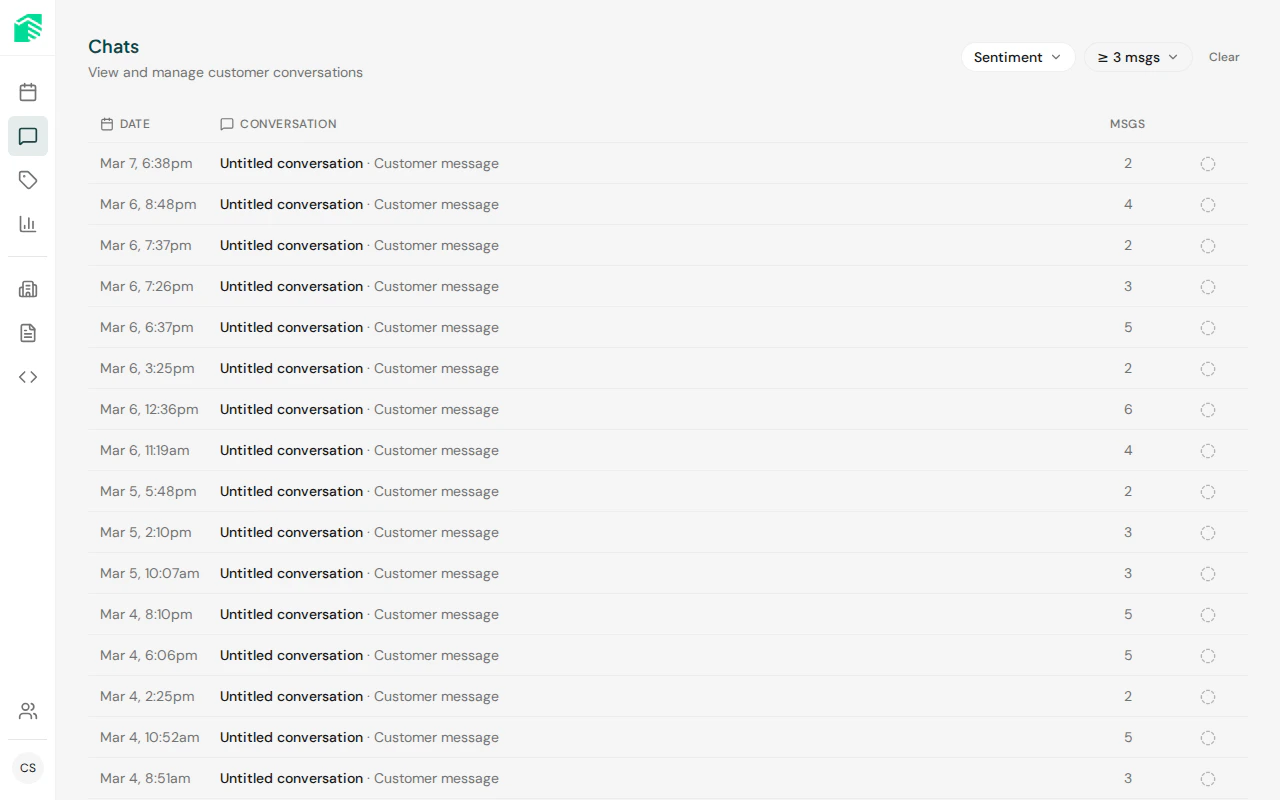 ## Dashboard sections
View all customer conversations with outcomes, sentiment, and transcripts
Configure the services visitors can book, organized by category
Configure business details, AI behavior, hours, and notification settings
Create and manage promotional codes for your services
Track chat sessions, bookings, widget usage, and AI costs
Invite team members and manage roles
Widget configuration, domain allowlist, and embed code
## Roles
| Role | Capabilities |
| ---------- | ---------------------------------------------------------------- |
| **Admin** | Full access — manage team, settings, services, and view all data |
| **Worker** | View and manage bookings, chat sessions, and services |
## Dashboard sections
View all customer conversations with outcomes, sentiment, and transcripts
Configure the services visitors can book, organized by category
Configure business details, AI behavior, hours, and notification settings
Create and manage promotional codes for your services
Track chat sessions, bookings, widget usage, and AI costs
Invite team members and manage roles
Widget configuration, domain allowlist, and embed code
## Roles
| Role | Capabilities |
| ---------- | ---------------------------------------------------------------- |
| **Admin** | Full access — manage team, settings, services, and view all data |
| **Worker** | View and manage bookings, chat sessions, and services |